Track everything with custom fields on college lists
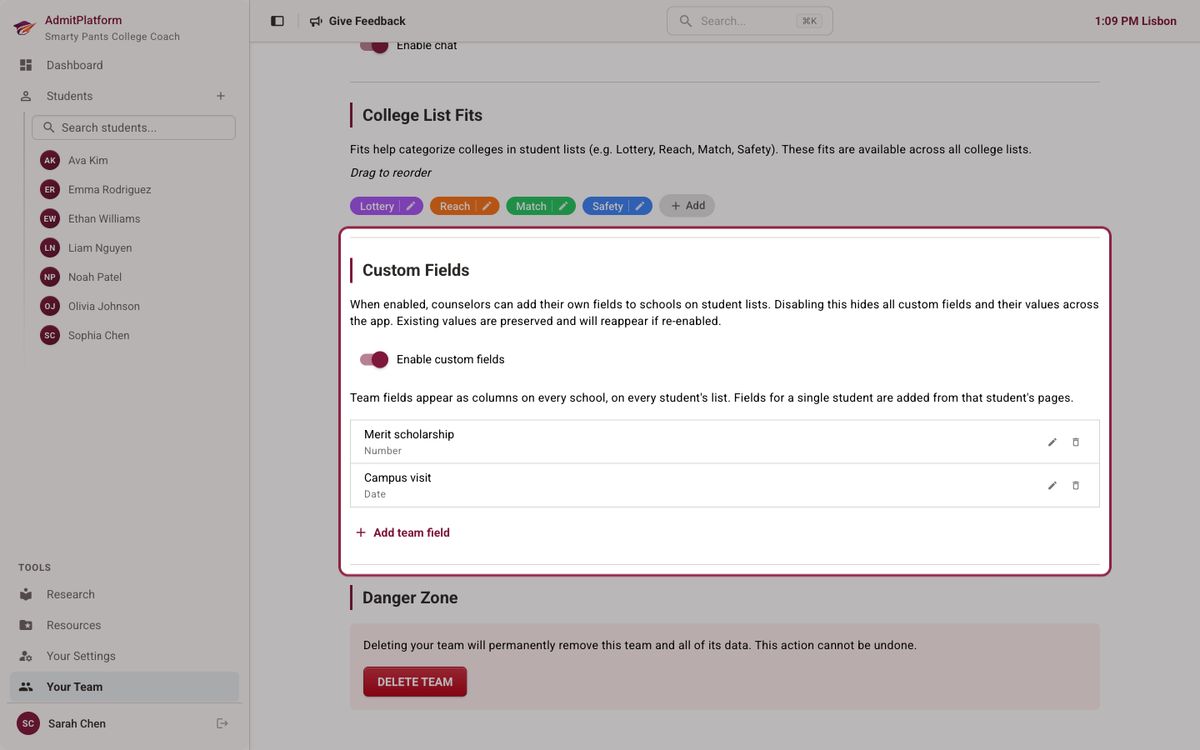
New on AdmitPlatform this week, we've added custom fields to college lists. These can be student specific (eg, "Amy's vibe score") or shared across your team (eg, "portfolio contact").
A team field shows up on every school, for every student. If recording a scholarship figure and a visit date is simply how your practice runs, define those once in team settings and your whole caseload has them.
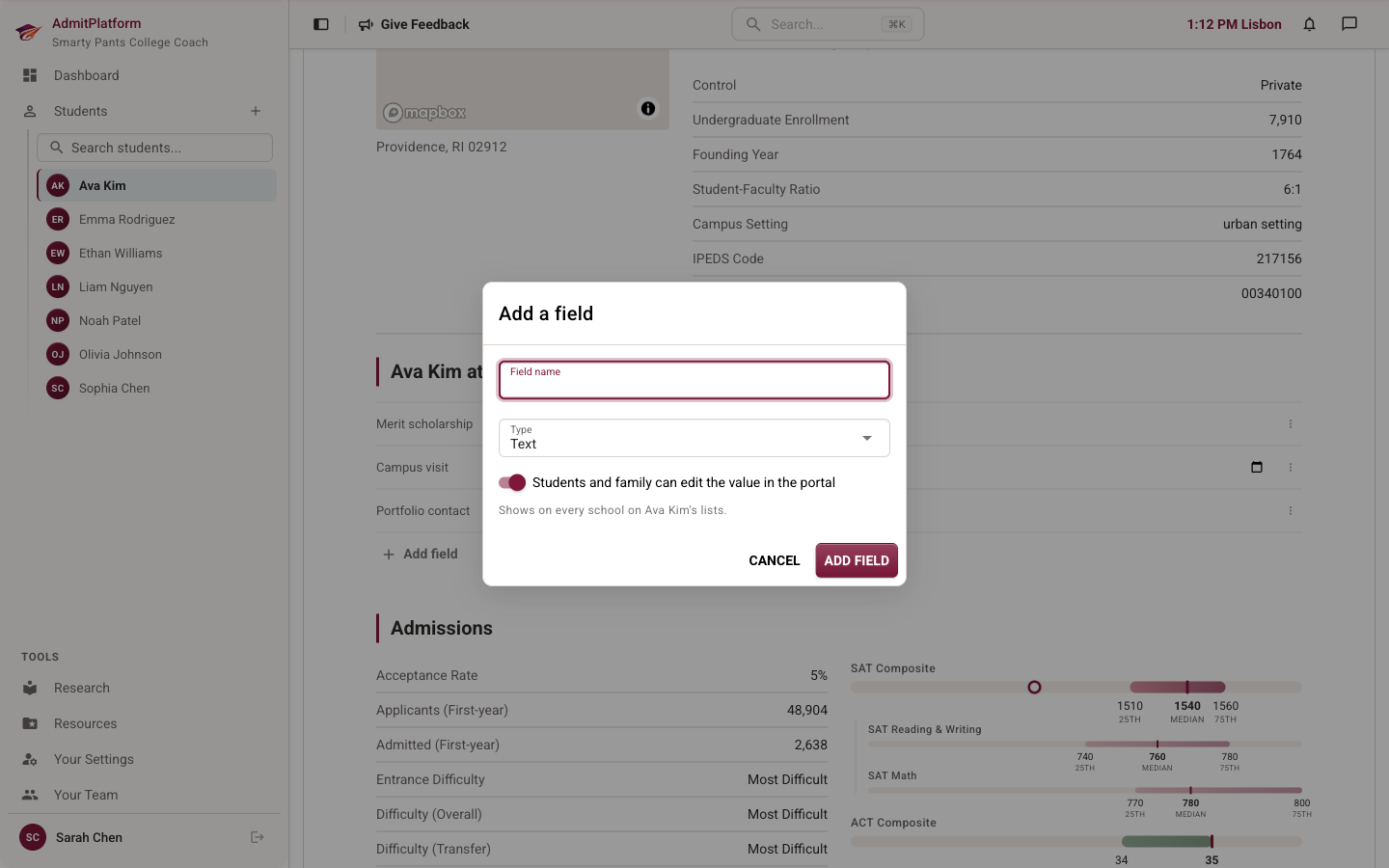
A student field belongs to one student, full stop. Our film applicant gets her "Portfolio contact" column, and the other thirty students never see it. Their lists stay clean; hers gets exactly what her situation demands.
Adding either one is a ten-second job. Name it, pick a type, decide whether the family can fill it in:
Then they act like real columns, because they are
Open the Details menu on any student's list and your fields sit right there with ours, waiting to be switched on:
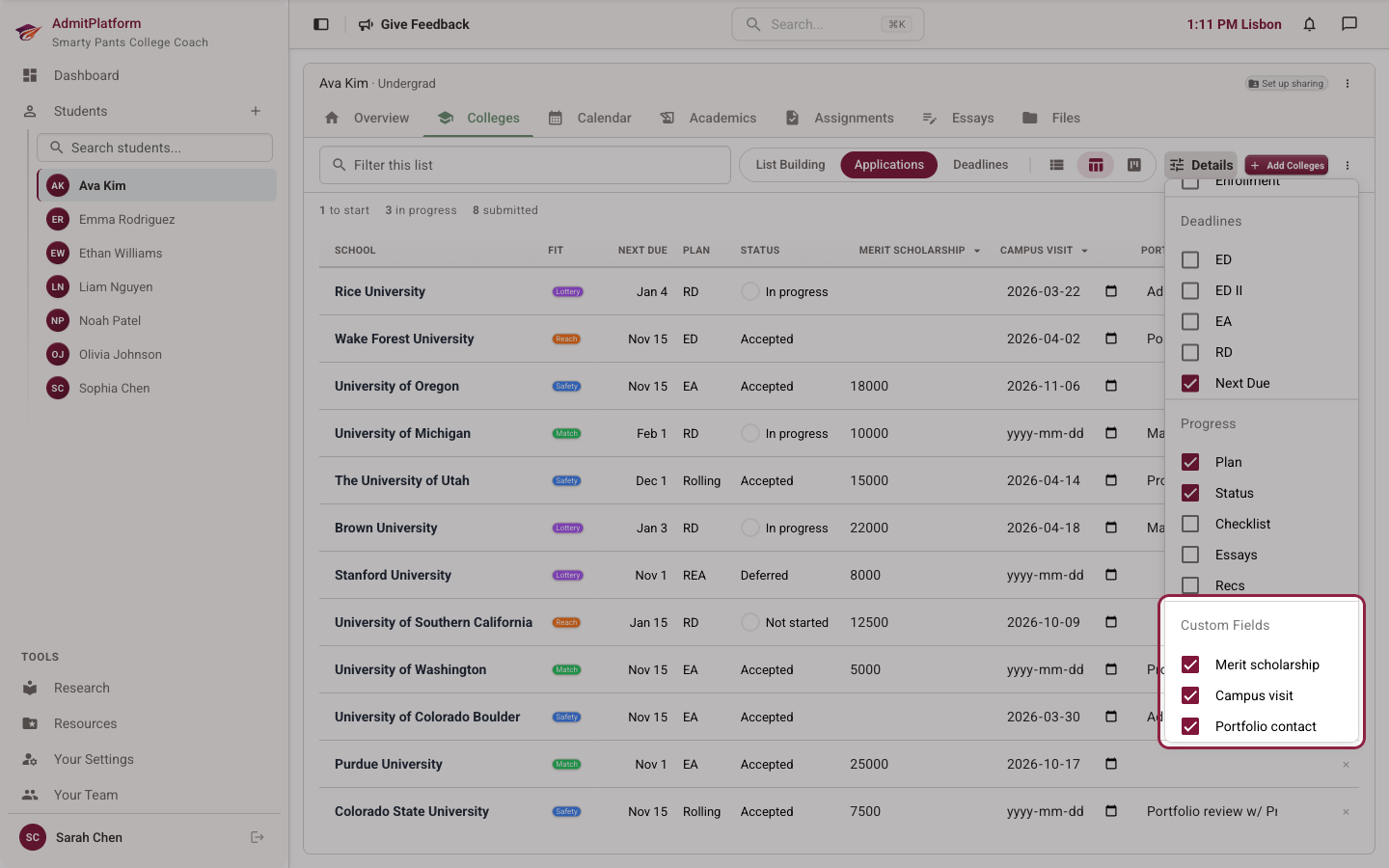
Once they're on, there's no asterisk. You sort by them. You edit them right in the cell — click, type, move on. Nobody makes you open a dialog and confirm that yes, the visit was on the 18th.
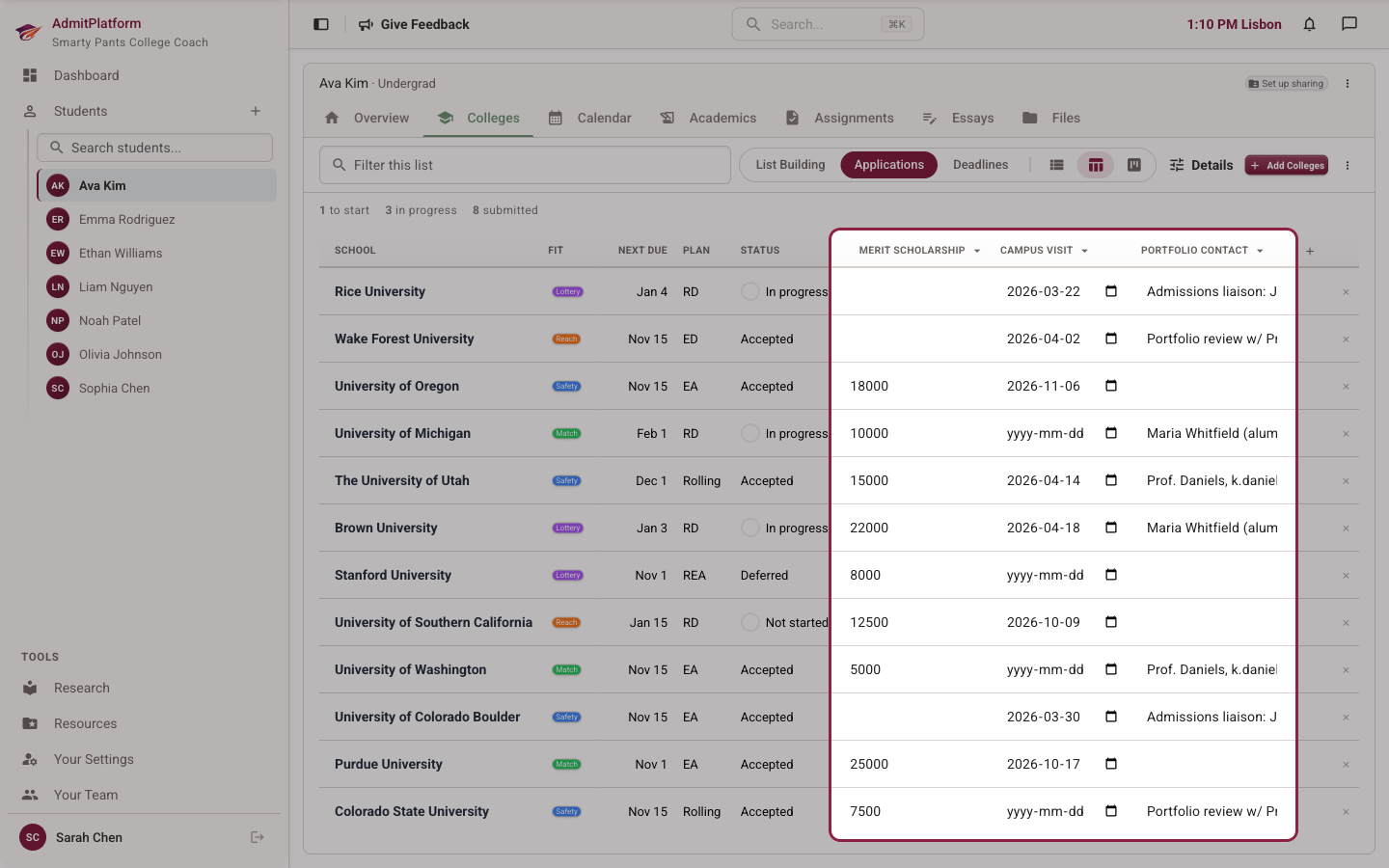
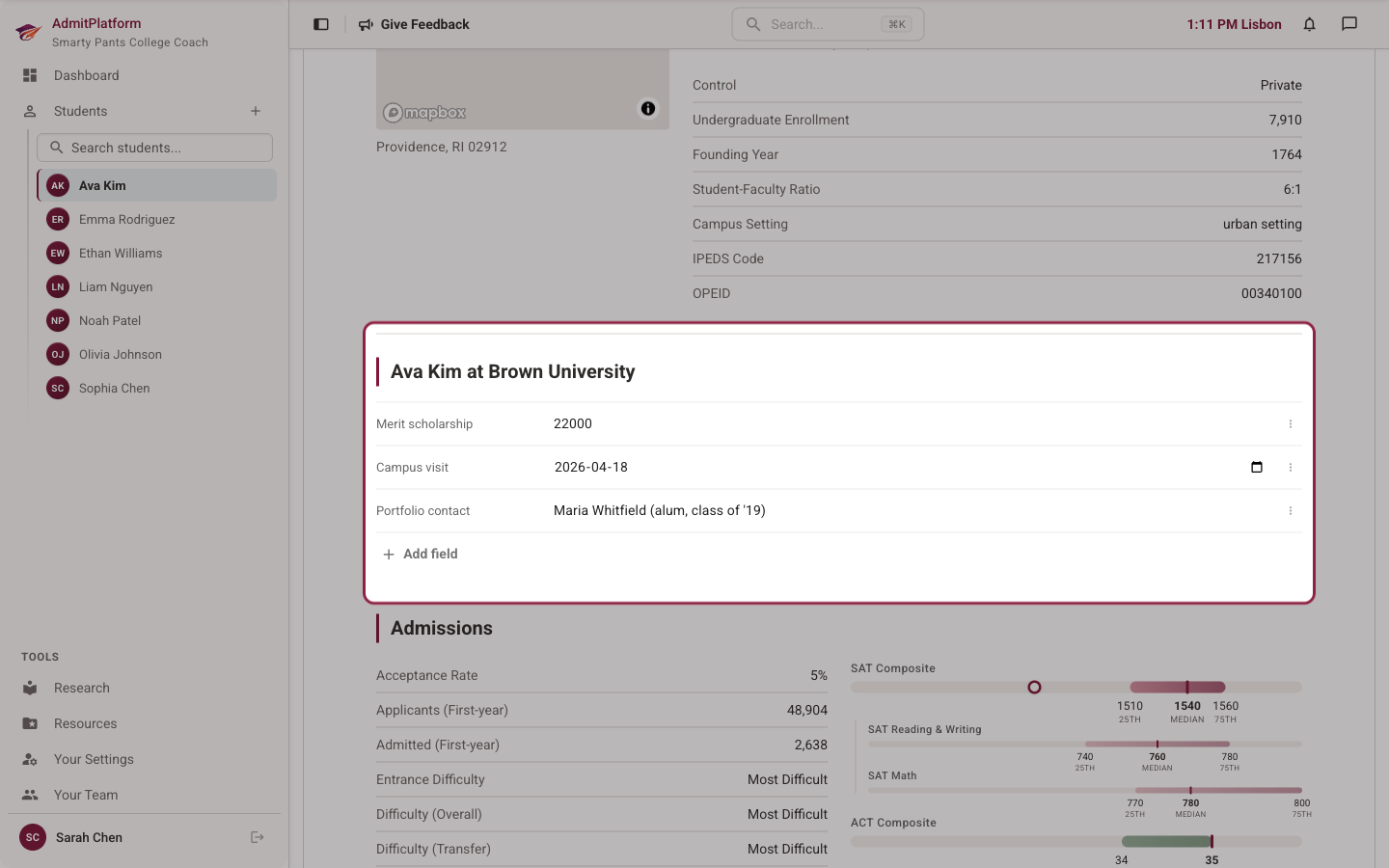
Every view keeps its own column setup, so your deadlines table stays lean while the applications table carries everything. And the same values appear on each school's page, in the student's section, right under the enrollment stats:
The questions you were about to ask
Can parents see this? Yes — fields show in the family portal. Whether they can *edit* one is your call, per field. "Campus visit" is a lovely thing for a parent to fill in from the car on the way home. The scholarship number, you probably want to own. Flip the toggle accordingly.
Does search know about them? It does. Type a contact's name into the list filter and the right school comes up.
The point
Your process is half of what families hire you for. The rep you met, the number you negotiated, the contact you hunted down — that's your work, and it deserves better than a notes section.
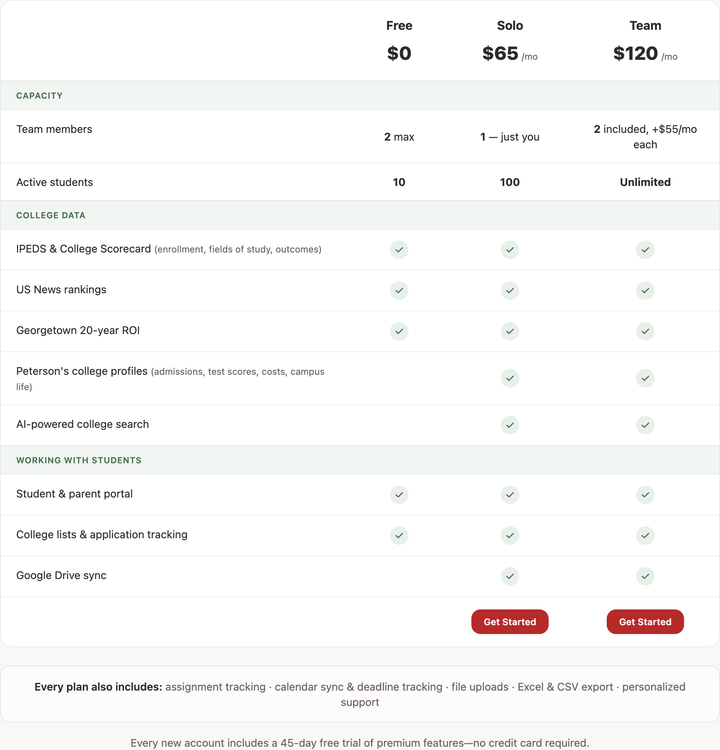
Custom fields are live now. An admin flips them on under Your Team → Custom Fields, and after that, any list's + column button adds a field on the spot. They're available on all plans for all users, right now.