Custom Logos and Brand colors for family portals

Your students trust. And the software you use should represent you to them, not a third party.
In the spirit of that, with AdmitPlatform, you can now set a custom logo, brand name, and even color scheme for your student/family portal. Just go to Team Settings and scroll down to the portal settings. If you have a logo for light backgrounds and one for "dark mode", you can upload both. Or if you only have one, just upload it and AdmitPlatform does the rest.
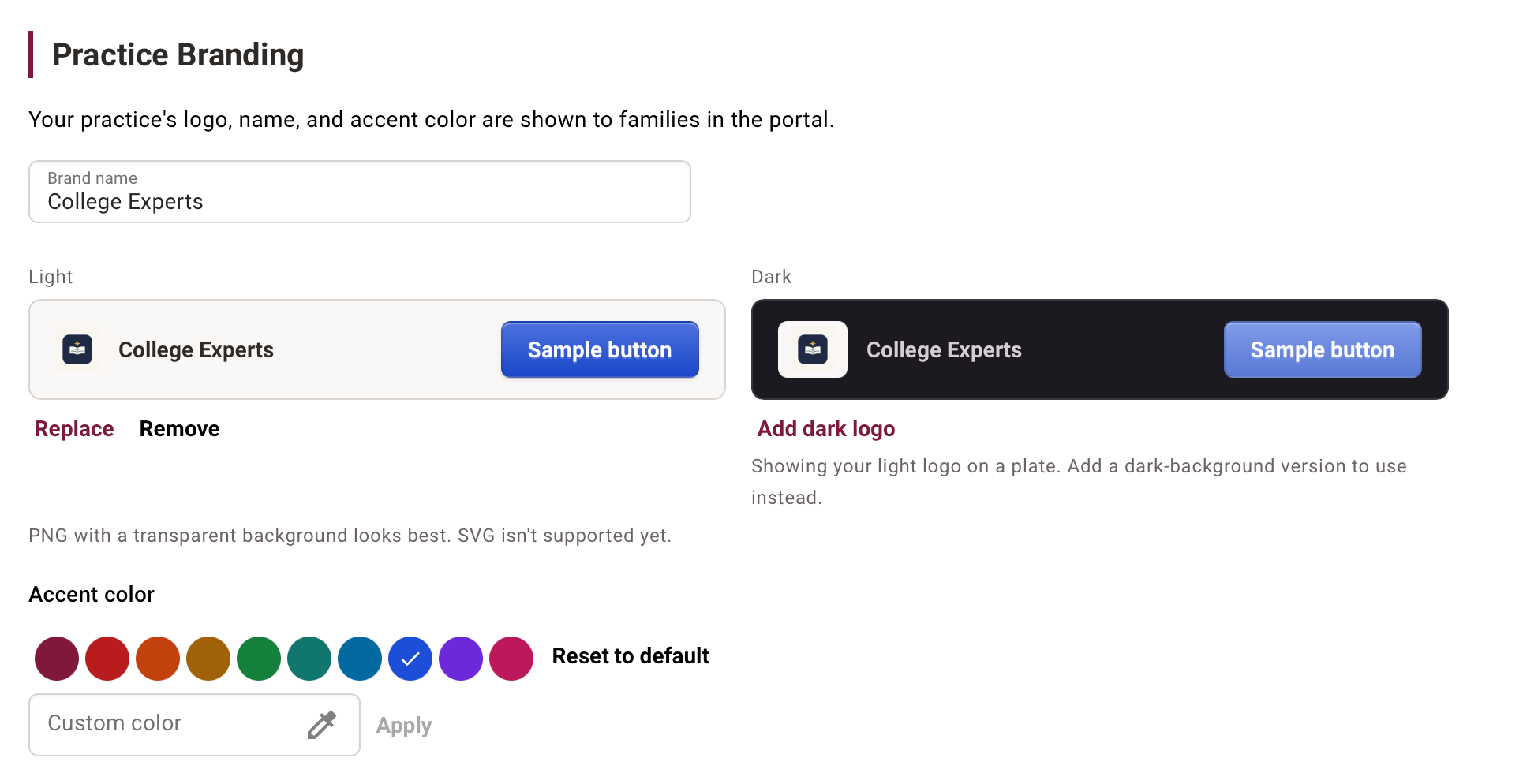
This custom branding option is available right now for all users on all plans, even free ones. We think you're going to like it. As always, don't hesitate to email us at [email protected] if you have any questions or suggestions.
Fall app deadlines are fast approaching, so happy consulting out there!