You can now transfer students between AdmitPlatform practices

Sharing caseloads with your peers? With AdmitPlatform, you've always been able to join multiple practices and switch between them. But now, you can also hand a student off entirely, transferring them and all their info to another practice.
This is useful when:
- You work with another IEC partway through the process (e.g., one IEC handles high school profile development, another handles the senior year applications).
- You sell your practice or caseload to another practice and need to gracefully move over the family's records.
- A group practice splits and the departing partners take specific students.
- Any time you have a student you want to move between AdmitPlatform practices.
How it works
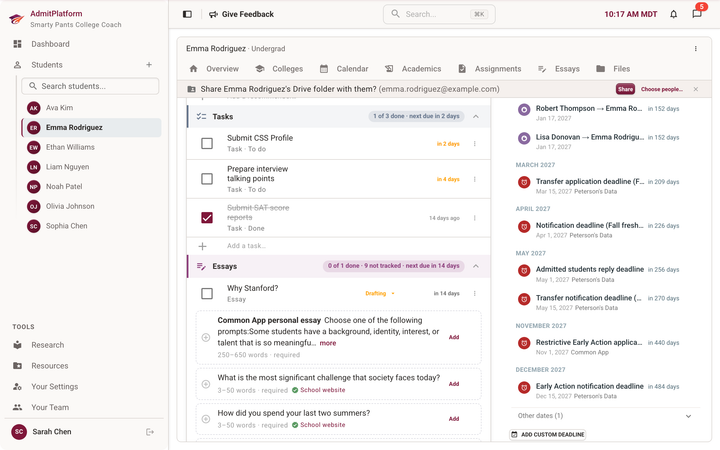
Owners and admins on a practice can start a transfer from a student's profile menu. They type in the receiving consultant's email address and an invitation email is sent. Before you send, we'll show you an exact preview of what moves.
Once accepted, all deadlines, college lists, essays, etc move with the student to the new practice. Custom fields and fit labels are captured in notes, since they may not exist on the destination practice.
Questions and answers
Q: What happens to the family portal?
A: Nothing changes. The PIN remains the same. They can continue using it as before, with the new practice.
Q: Can you transfer between AdmitPlatform Teams that you both own?
A: Yes, and in that case, the extra approval step isn't necessary. The student moves right away.
Q: What happens to Google Drive links?
A: If both the sending and receiving teams use Google Drive integration, the files are copied between Google Drive accounts. If only one practice uses Google Drive, AdmitPlatform will convert the file types as needed (eg, Google Docs could become Word files).
Who gets this feature
All AdmitPlatform teams immediately get this feature, including users on our free plan.