
Feature Drop: Command Palette for AdmitPlatform
This week, we dropped a new feature to AdmitPlatform: The Command Palette.
The command palette is a universal search and quick-navigation tool, inspired by the "Cmd+K" interfaces used in tools like Slack, Notion, and VS Code. Press Cmd+K (or Ctrl+K on Windows) from anywhere in the app, and an overlay appears where you can instantly search across everything or jump to any page.
Open the command palette with an empty search and you'll see a set of Quick Actions – the most common destinations in your workflow:
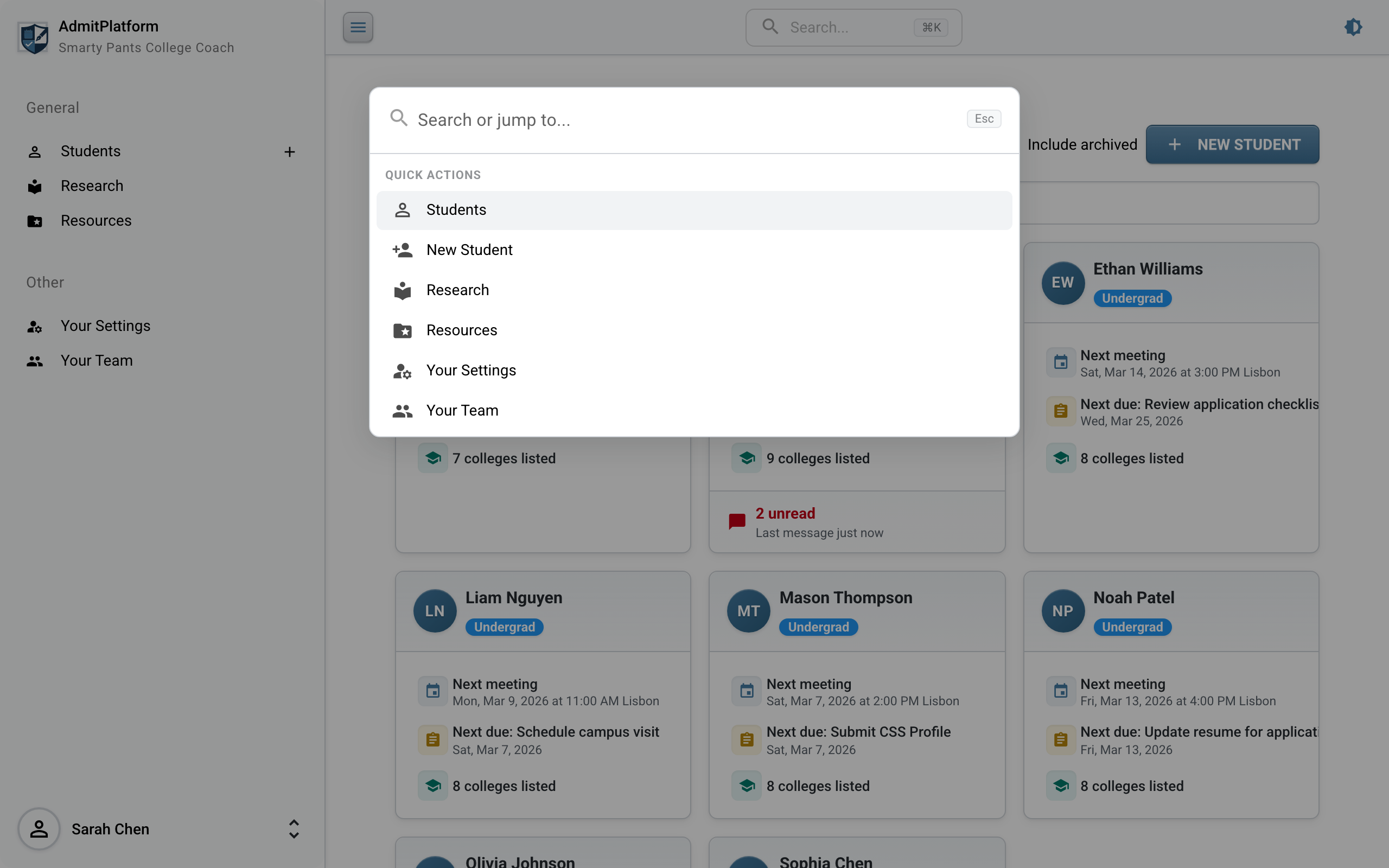
Use the arrow keys to highlight an action and press Enter to navigate, or just click. It's faster than reaching for the sidebar.
Universal Search: Find Anything
Start typing and the palette searches across your entire practice – students, institutions, institution lists, assignments, calendar events, files, and resources -- all from one place.
Search for a Student
Type a student's name and their profile appears at the top, with institutions and other matching records grouped below:
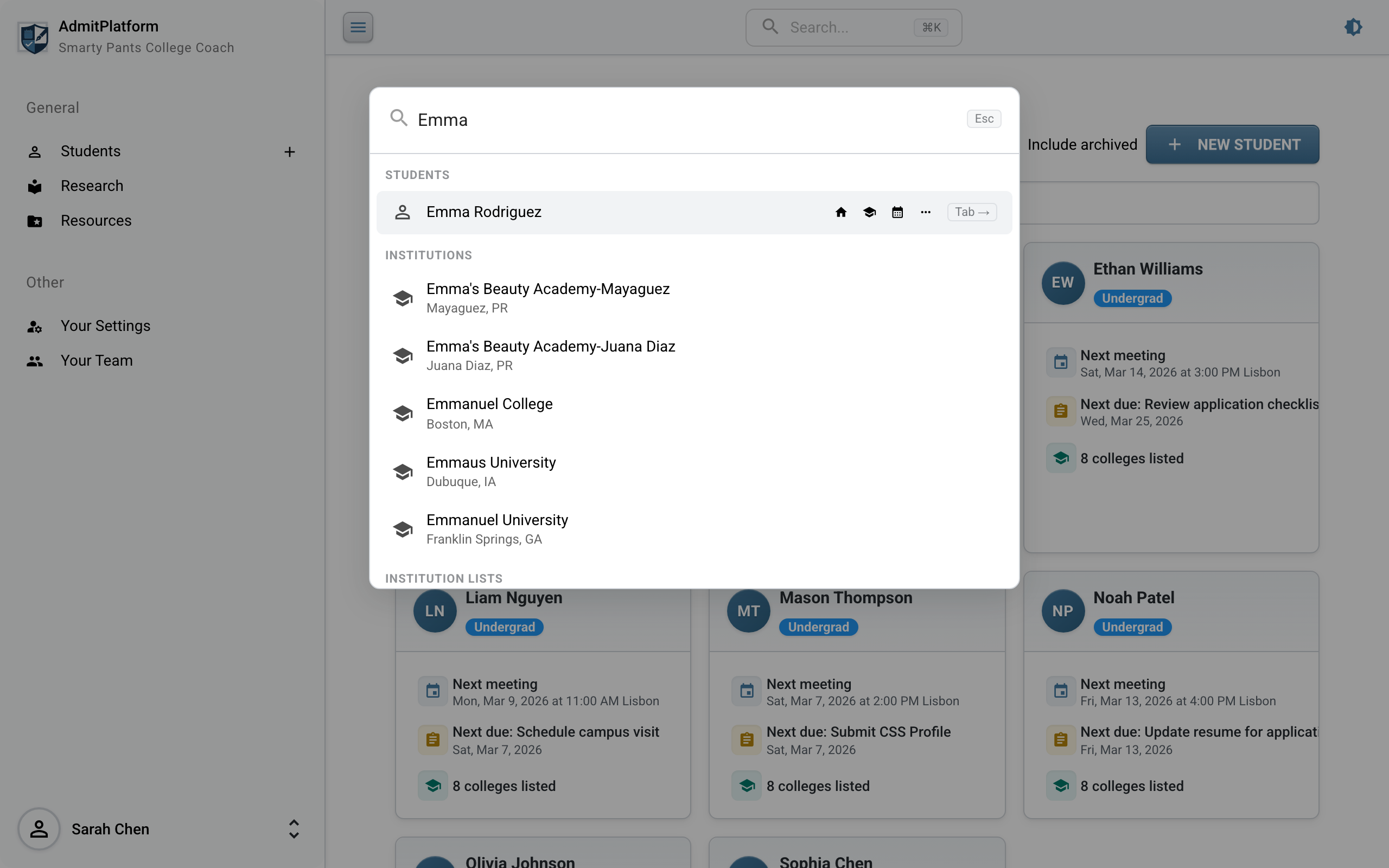
Notice the inline action icons next to the student result – you can jump directly to their Overview, Colleges, Calendar, or expand a more menu without leaving the palette.
Search for an Institution
Looking for a specific school? Just type its name:
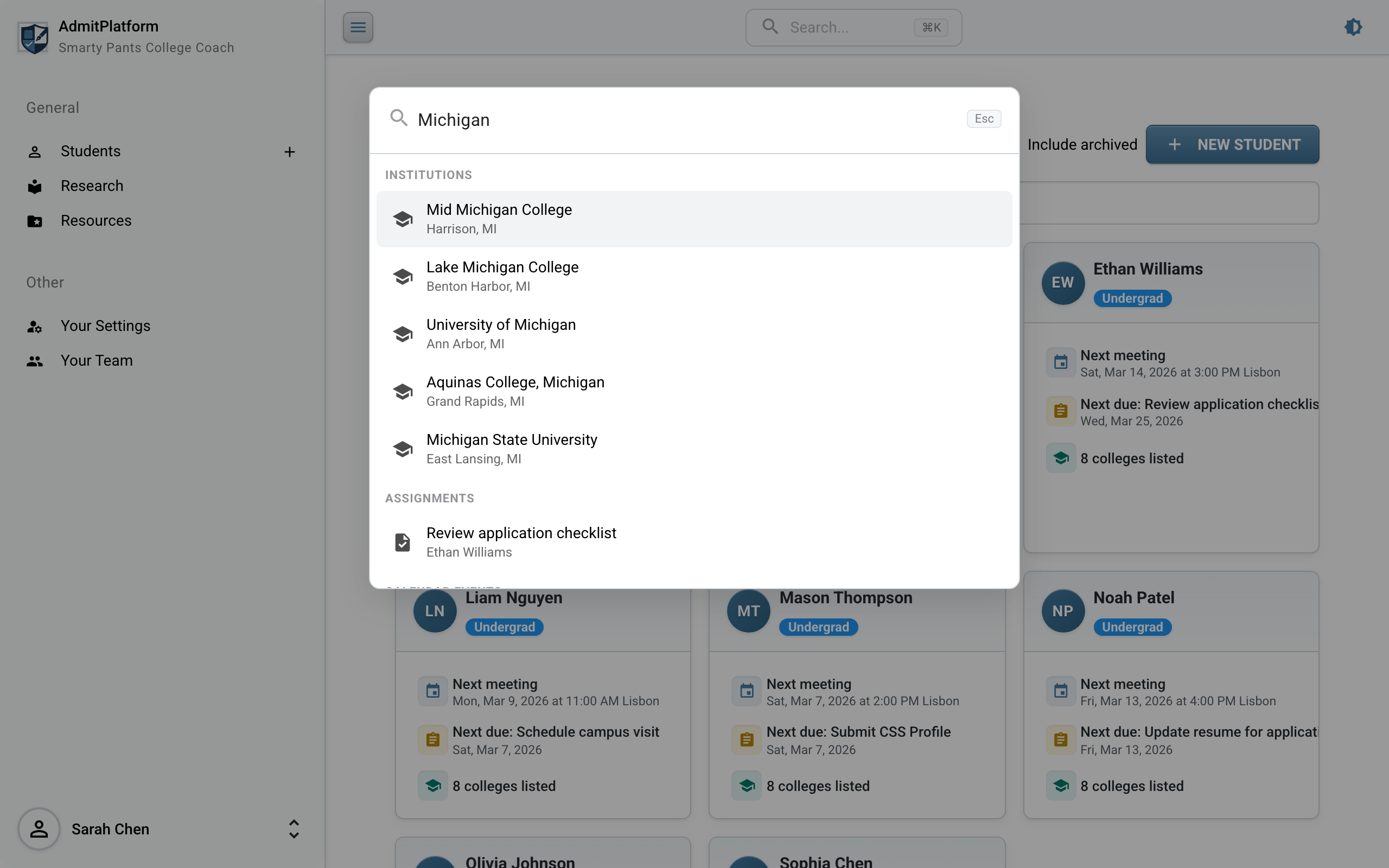
Each institution result shows its location so you can quickly distinguish between similarly named schools.
Dive Into a Student's Pages
Here's one of the most powerful features: when a student is highlighted in the results, press Tab to expand their profile and see all available sub-pages:
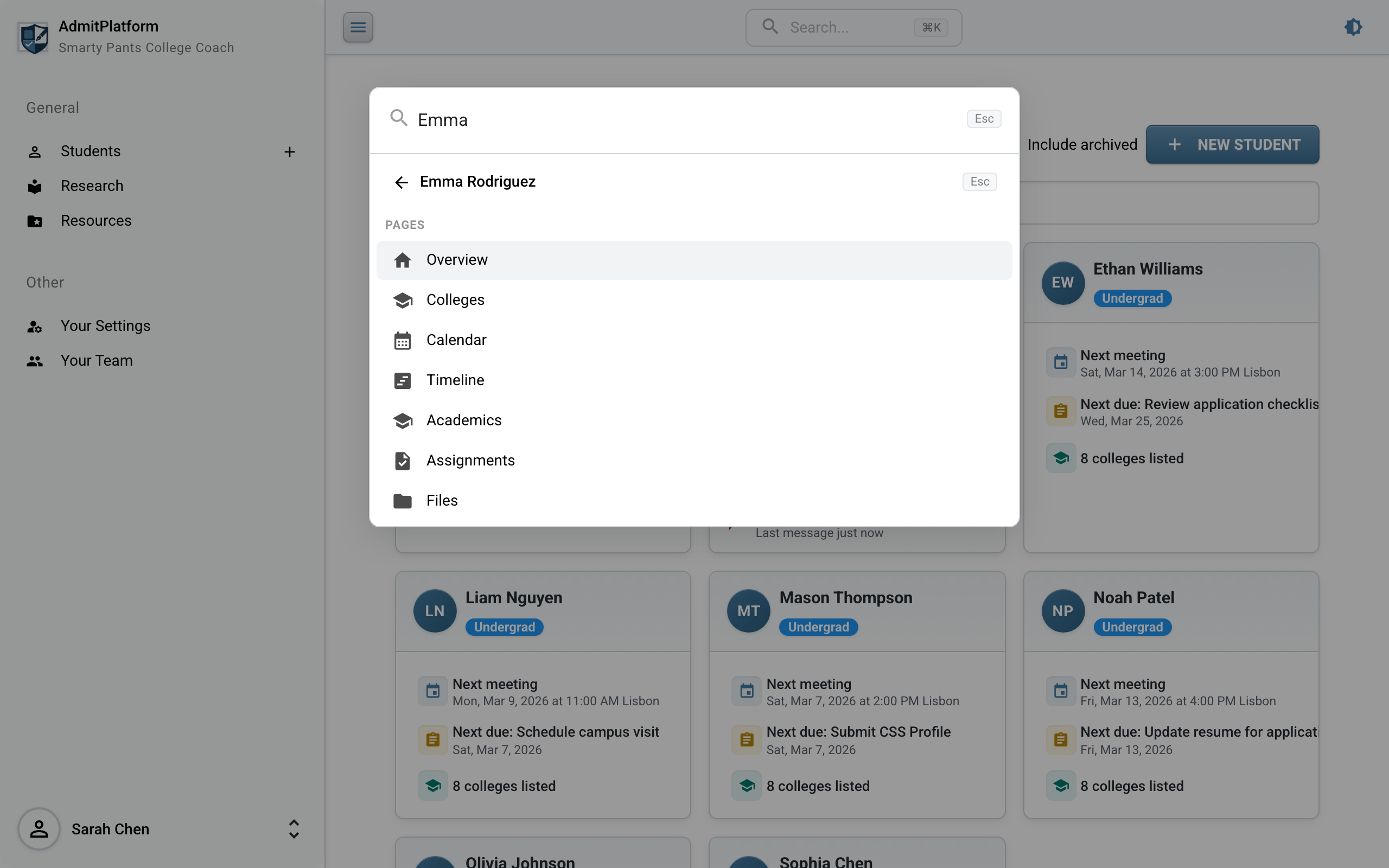
From here, arrow-key to the exact page you need -- their Timeline, Academics, Assignments, or Files -- and press Enter. Press Escape to collapse back to the main results. This means you can go from anywhere in the app to a specific student's specific page in just a few keystrokes.
Keyboard-First, But Click-Friendly
The command palette is designed for keyboard power users, but every action is also clickable. Here's a summary of the available shortcuts:
| Shortcut | Action |
|---|---|
| Cmd+K / Ctrl+K | Open or close the command palette |
| Escape | Close the palette (or collapse an expanded student) |
| Arrow Up/Down | Navigate through results |
| Enter | Go to the selected result |
| Tab | Expand a student's sub-pages |
| Home / End | Jump to first or last result |
Why It Matters
When you're managing dozens of students, each with their own college lists, deadlines, files, and meetings, the ability to get where you need to go fast isn't a luxury -- it's a necessity. The command palette eliminates the "where was that?" friction that slows you down throughout the day.
No more clicking through the sidebar, scrolling through student lists, or remembering which page you left open. Just press Cmd+K (Ctrl+K on Windows), type a few characters, and you're there.
The command palette is available now for all users. Give it a try – we think once you start using it, you won't want to go back.